Free Email Signature Generator for Teams, Agencies, Law Firms & Professionals
July 17, 2026
6-minute read

This free, privacy‑first image resizer lets you resize, crop, and compress images directly in your browser — with no uploads or server storage. Use built‑in social media presets for LinkedIn, Instagram, Facebook, YouTube, and more, or set exact pixel dimensions. Reduce image size, optimize quality, and export in JPG, PNG, or WebP in seconds.

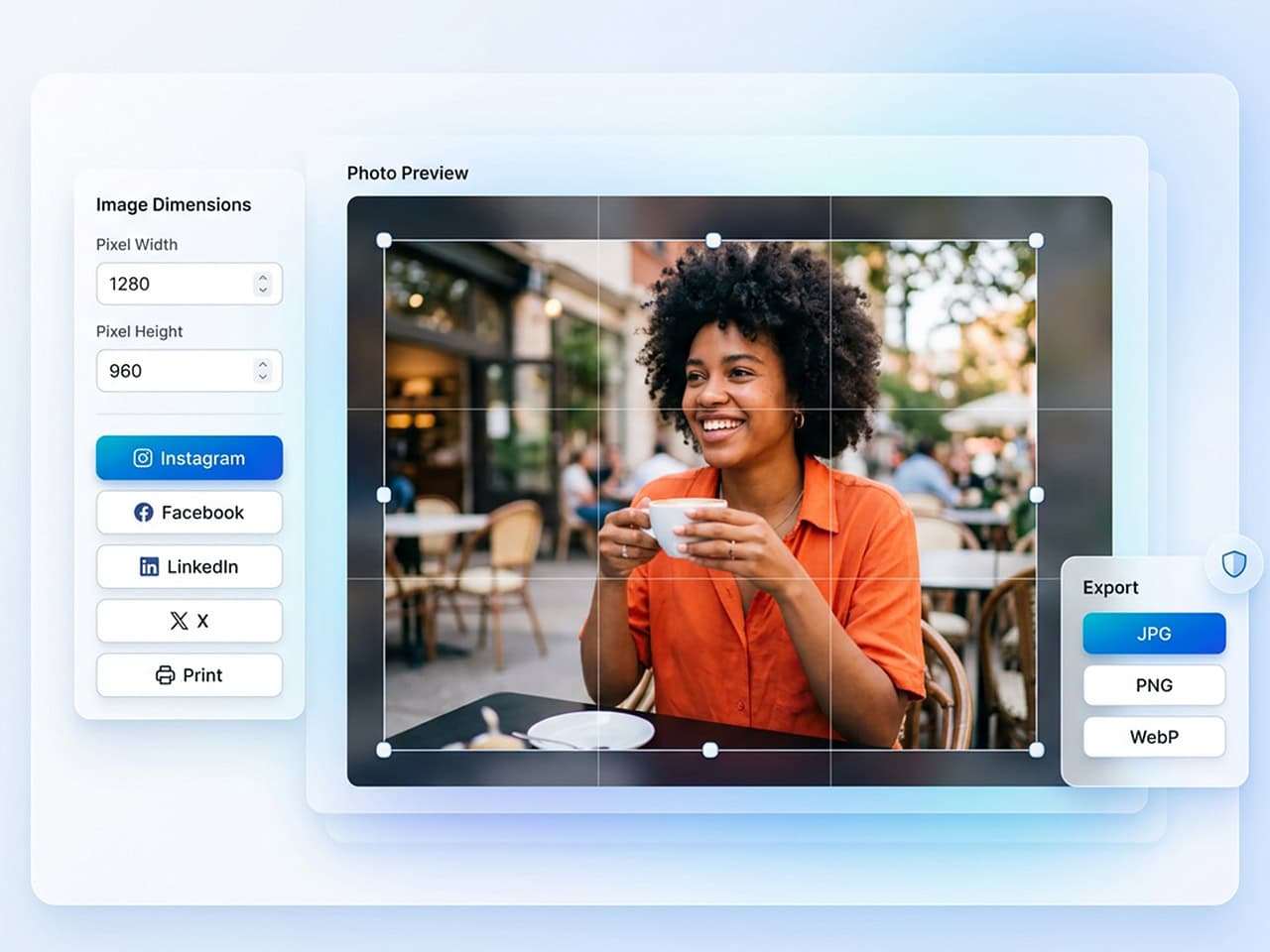
The Legal Communications Image Resizer & Social Media Cropper lets you:
No uploads. No accounts. No cloud processing.
Whether you're preparing graphics for LinkedIn, Instagram, Facebook, YouTube, TikTok, or your website, this privacy‑first online image resizer helps you create platform‑ready visuals in seconds.
Every platform has specific image requirements.
| Platform / Use Case | Image Requirement |
|---|---|
| Prefers square image formats for posts and profile visuals. | |
| Twitter (X) | Uses landscape aspect ratios for optimal feed display. |
| Facebook Covers | Requires wide, narrow banner dimensions for proper display. |
| Websites | Requires optimized file sizes for fast loading and performance. |
| Team Directories | Needs consistently sized headshots for clean, uniform layouts. |
Using the wrong dimensions can result in:
A professional image resizer and image cropper ensures your images are properly sized, framed, and optimized before you publish them.
Resizing is only part of the process. If you need precise cropping, intelligent compression, and platform‑ready dimensions — all without uploading your files — we can help.
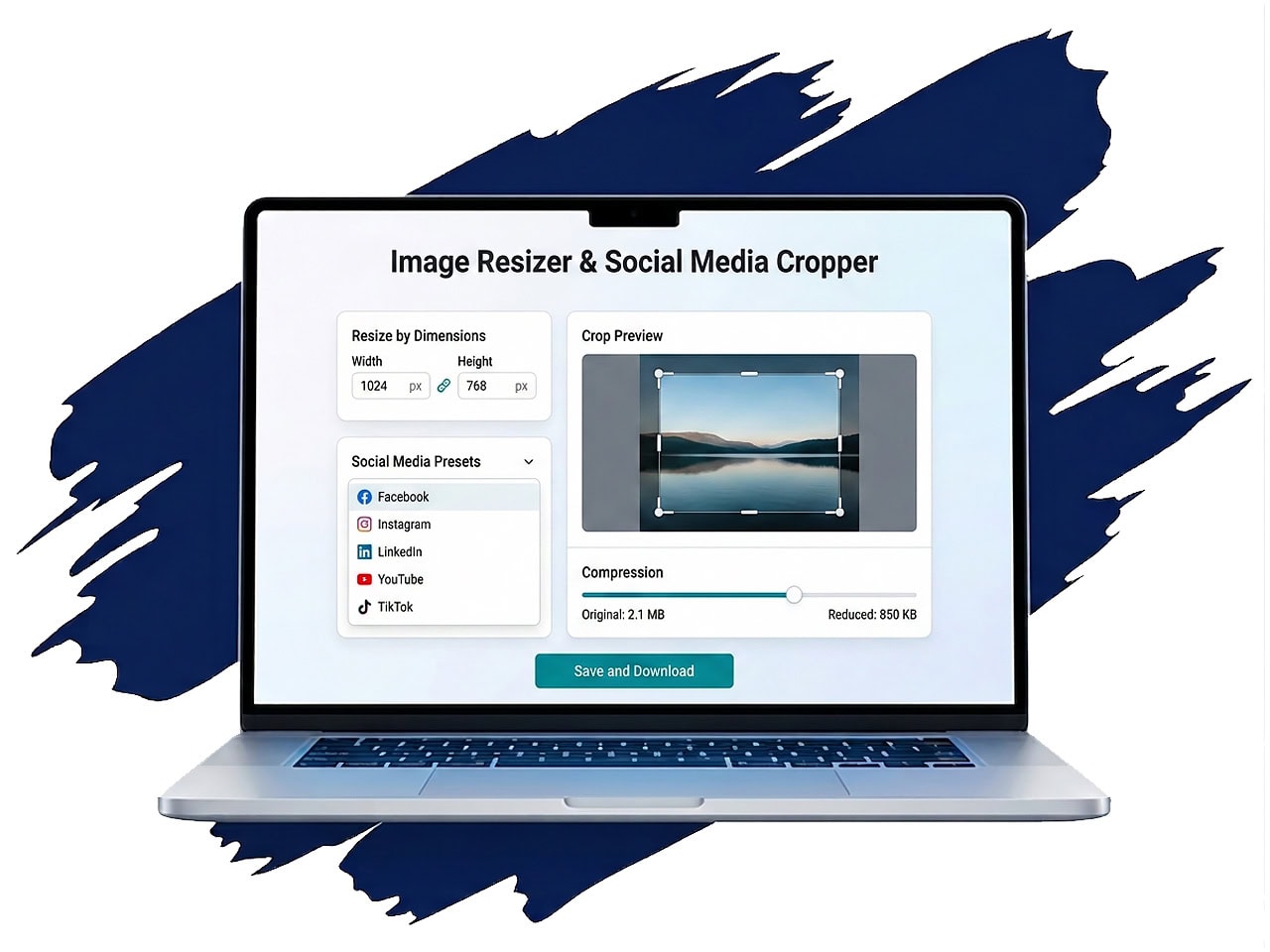
This free image resizer offers two clear modes — simple, flexible, and precise.
Enter specific pixel dimensions (for example, 1200 × 628) or scale by percentage to quickly downsize an image. You can lock the aspect ratio (to preserve proportions) or unlock it for full control.
This is ideal when you need to:
The image resizer automatically applies the correct size. You then crop the image precisely within the frame. This prevents platforms from auto‑cropping your content unpredictably.
Instead of memorizing platform dimensions, select built‑in presets for:
Resizing changes dimensions. Cropping controls framing. You decide what gets shown — not the platform.
The built‑in image cropper allows you to:
When you crop an image intentionally:
Large image files slow down websites, email attachments, and social uploads. If you need to compress an image for free, simply select JPG or WebP, adjust the quality slider, and download. If you need maximum quality with no compression artifacts, export as PNG.
This image resizer includes built‑in online image compression, allowing you to:
You’ll see real‑time feedback showing:
Many people confuse resizing with compression. This online image resizer gives you control over both — so you can reduce image size intelligently without sacrificing clarity.
That’s especially important for:
When resizing or compressing, output format matters. The image resizer also automatically corrects orientation issues from mobile photos.
Upload formats supported:
Export options:
If you regularly resize images to the same dimensions, save custom presets locally in your browser. This is especially useful for marketing teams, agencies, and corporate departments that need consistent visual branding across platforms.
Examples:
Most online image compression tools require uploading your photo to their servers. We developed this free tool to be privacy-first. All resizing, cropping, and image compression happens locally in your browser.
That means:
You can reduce image size and compress images free — without exposing confidential material.
For law firms, corporate teams, and professionals handling sensitive content, privacy isn’t optional.
No accounts.
No cloud processing.
No waiting for uploads.
Yes. You can resize, crop, and compress images free directly in your browser.
No. All processing happens locally on your device.
Yes. You control the compression level to balance file size and clarity.
Yes — but unlike typical tools, your images never leave your device.
Yes. Built‑in presets and framing guides help you crop images precisely for each platform.
Whether you need to:
Resize images for social media
Downsize an image for faster loading
Reduce image size for email
Compress an image free
Use private online image compression
This in‑browser image resizer and image cropper gives you full control — without compromising privacy.
Upload once.
Crop precisely.
Optimize intelligently.
Download in seconds.
Below is more information about the author (or authors) plus suggested reading for articles related to this topic.